TL;DR: A professional email for business uses your own domain, like you@yourbusiness.co.uk, instead of a free address like yourbusiness@gmail.com. It is the cheapest credibility upgrade most small businesses can make, because customers judge you on it before they read a word.
At QED Web Design we set up professional email for business as part of getting UK small businesses online properly. Beyond trust, a domain email lets you meet the sender rules Gmail and Yahoo have enforced since 2024.
This guide covers why it matters, what it costs, the difference from free email, and the plain-English basics of the security records that keep your mail out of the spam folder.
- A professional email for business uses your own domain name, not a free provider like Gmail, Yahoo, or Outlook.
- In an IE Domain Registry survey of 1,000 consumers, 64% had little or no trust in businesses using a free email address.
- A domain email is usually the cheapest credibility upgrade a small business can make, often a few pounds per mailbox each month.
- Since February 2024, Google and Yahoo have required proper email authentication (SPF, DKIM, and DMARC) from bulk senders.
- You can keep using the familiar Gmail or Outlook app while sending and receiving from your own business domain.
Your email address is one of the first things a potential customer sees from your business, and it quietly tells them whether you are a serious operation or someone working from a spare room without much thought.
A professional email for business, meaning an address on your own domain rather than a free Gmail or Yahoo account, is the single cheapest way to fix that impression.
 At QED Web Design we set up professional email is part of how we get UK small businesses online properly, alongside their website and hosting.
This guide explains what a professional email address is, why the free option quietly costs you, what a proper one costs, and the plain-English version of the security settings that decide whether your mail reaches the inbox. If you are still getting to grips with the wider setup, our explainer on what web hosting is covers the ground next to this one.
What is a professional email address?
A professional email address is one that uses your own business domain name, such as hello@yourbusiness.co.uk, instead of a free public provider like gmail.com or yahoo.com. It identifies your business by name in every message you send, which is why it reads as more established and trustworthy than a generic free address.
The mechanics are simple. Once you own a domain name, the same one your website uses, you can create email addresses on it: hello@, sales@, your own name@, and so on.
You do not even need a live website to have domain email, only the domain itself, though most businesses set up both together.
The difference is one of signal, not function. A free address and a domain address both send and receive mail perfectly well. What differs is what the address says about you before the recipient reads a single line, and that first impression is worth more than most owners assume.
Understanding what a professional address is naturally raises the obvious question: if a free Gmail account works fine, why pay for anything else?
Why not just use a free Gmail address for business?
The main reason not to use a free Gmail address for business is trust: a large share of customers view a free email address as a red flag, and that judgement happens before they read your message. Gmail itself is an excellent service, so this is not a criticism of the tool. The problem is using a consumer address to represent a registered business.
The evidence here is worth stating carefully, because much of it comes from companies that sell email and should be read with that in mind. The most independent figure comes from the IE Domain Registry, a domain registry rather than an email seller, whose survey of 1,000 consumers found that 64% had little or no trust in a business using a free email address, while 77% trusted a business using a custom domain-specific address (IE Domain Registry).
A separate and often-quoted figure, that 75% of consumers consider a domain-based email a key factor in trusting a small business, comes from a survey commissioned by GoDaddy, which sells professional email, so treat that one as a vendor-adjacent figure rather than independent research (GoDaddy, 2016).
Beyond trust, there is a practical ownership problem. A free Gmail account belongs to the person, not the business. If a staff member using their personal Gmail for work leaves, your customer conversations and contacts can walk out of the door with them. A domain email belongs to the business, so you keep control.
There is also a deliverability angle, which has become more important since 2024, but before that, the honest question is what a proper setup actually costs.
What does professional email cost, and how do I get one?
Professional email typically costs a few pounds per mailbox each month, making it one of the most affordable credibility upgrades a small business can make. The two best-known options, Google Workspace and Microsoft 365, both start at a low single-figure monthly price per user, and cheaper or even free-tier options exist from other providers if you already own a domain.
Getting one is straightforward. You need a domain name and an email hosting service, and the two are often bought together. Many businesses set it up alongside their website, which is the simplest route because the domain, hosting, and email then all sit in one place.
At QED Web Design we handle this as part of getting a client online, so email, domain, and site are configured together rather than left as a puzzle for the owner to solve.
The cost is genuinely modest against the return. For the price of a coffee or two a month, you get an address that quietly reassures every customer, vendor, and supplier that you are a real, established business. Weighed against the customers a free address quietly turns away, it is rarely a close call.
Once you have a professional email set up, the next thing that trips people up is deliverability, the reason otherwise good emails end up in the spam folder.
Why do my emails land in spam, and what are SPF, DKIM, and DMARC?
Emails often land in spam because the sending domain has not been properly authenticated, and the fix is three security records called SPF, DKIM, and DMARC that prove your mail genuinely comes from you. These are DNS settings on your domain, and getting them right is what keeps your email out of the junk folder and, increasingly, what keeps it deliverable at all.
In plain English, each does one job.
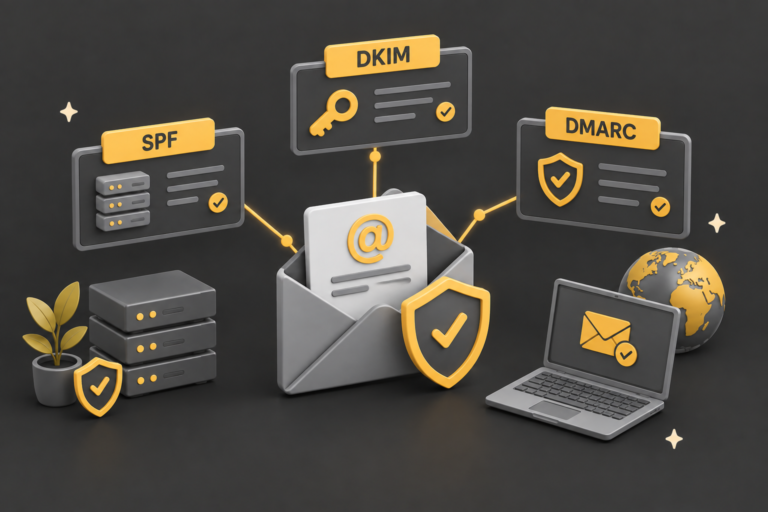
- SPF (Sender Policy Framework) lists which servers are allowed to send email for your domain.
- DKIM (DomainKeys Identified Mail) adds a tamper-proof digital signature to each message.
- DMARC (Domain-based Message Authentication, Reporting and Conformance) ties the two together and tells receiving servers what to do with mail that fails the checks.
Together they let Gmail, Outlook, and the rest confirm a message really is from you and not a spammer impersonating your business.
This stopped being optional in 2024. According to Google’s own Email Sender Guidelines, from February 2024 Google and Yahoo required bulk senders (broadly, those sending around 5,000 or more messages a day to personal accounts) to authenticate with SPF, DKIM, and DMARC, and from November 2025 Gmail moved to hard enforcement, rejecting non-compliant mail outright (Google, 2025). Microsoft followed with its own Outlook authentication requirements in 2025, so the same three records now matter across all the major providers. Even below the bulk threshold, having these records set up correctly is now the baseline for reliable delivery.
The good news is that a proper professional email setup on your own domain is exactly what lets you configure these records, which a free Gmail address does not. That control also answers a worry many people have about switching, covered next.
Can I keep using Gmail or Outlook with a business email?
Yes, you can keep using the familiar Gmail or Outlook apps while sending and receiving from your own business domain. This is the point most people are relieved to hear, because the interface you are used to does not have to change at all. You keep the experience and gain the professional address.
Google Workspace is, in effect, the Gmail interface running on your own domain, so if you like Gmail you can have exactly that with a hello@yourbusiness.co.uk address. Microsoft 365 does the same with Outlook. Even with other email providers, because business mailboxes use standard protocols, you can usually connect them to the Gmail app, Outlook, Apple Mail, or whatever you already use. There is no need to learn a new system.
The table below sums up the practical differences between a free personal address and a professional domain email, so you can see what actually changes.