TL;DR: Google has quietly added a new Agentic Browsing category to Lighthouse, the free auditing tool built into Chrome. It scores how ready your site is for AI agents rather than for human visitors, and you may have noticed it appear overnight.
It is experimental, it does not produce a 0 to 100 score, and it is not a Google ranking factor. Most of what it checks is plain accessibility and layout stability, things good web design has always cared about.
The three new “agentic” proposals it nods at, llms.txt, agents.json and WebMCP, are all unconfirmed and all optional. Fix the boring fundamentals and you pass most of it for free.
If you have run a Lighthouse audit in the last few weeks and spotted a category you did not recognise, you are not imagining it. A new section called Agentic Browsing has turned up, sitting right next to the familiar Performance, Accessibility, Best Practices and SEO scores.
I found it myself while researching a potential new client. Two reports, two different stories, and a lot of fresh marketing noise already building around it. So here is the calm, practical version: what it is, what it checks, whether you need to care, and what to do about it if you run a small business website.
What just appeared in Lighthouse
Lighthouse is Google’s free, open-source auditing tool. It is built straight into Chrome’s developer tools and it also powers PageSpeed Insights, so almost every web developer on the planet uses it. For years it has scored a site on four things: Performance, Accessibility, Best Practices and SEO. It is effectively the standard yardstick for “is this website any good”.
In Lighthouse version 13.3, released on 7 May 2026, Google added a fifth category: Agentic Browsing. Instead of measuring whether a human can use your site, it measures whether an AI agent can. By “agent” Google means software that drives a browser on a user’s behalf, the kind of tool that can go off and book a table or fill in a form for someone, rather than a person clicking buttons themselves.
You do not need to do anything to make it appear. If you are on a recent version of Chrome, or you run a report through PageSpeed Insights, it shows up on its own. That is why it can feel like it landed overnight.
What the agentic browsing audit actually checks
This is where the panic deflates a little. According to Google’s own scoring documentation, the category runs a small set of deterministic checks grouped into three areas. Most of them are things a well-built site already handles.
Agentic Browsing accessibility.
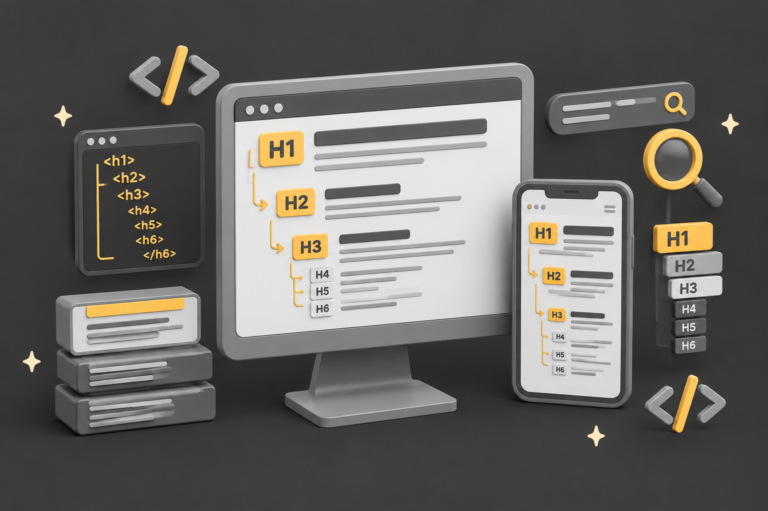
This reuses a subset of the existing accessibility checks: does every interactive element have a proper name and label, are the page roles and parent-child relationships valid, and is anything hidden from assistive technology while still being clickable. Agents read the accessibility tree as their main map of your page, the same structure a screen reader uses.
Website Stability.
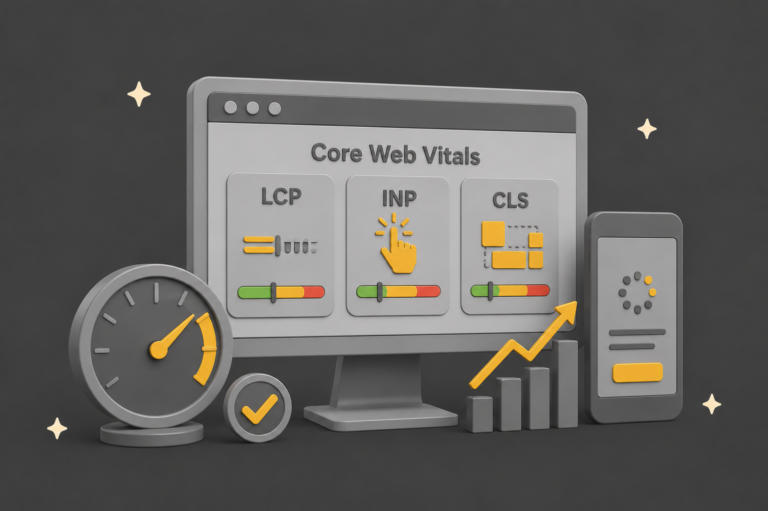
This measures Cumulative Layout Shift, or CLS, which has been part of Core Web Vitals since 2021. The logic is simple: if an agent spots the “Add to basket” button, then an advert loads and shoves the button 200 pixels down the page, the agent clicks the wrong thing. From its point of view, your site is broken.
Discoverability and WebMCP.
This checks for an llms.txt file at your domain root, and validates WebMCP, a proposed standard that lets a site describe actions an agent can take. WebMCP is genuinely new and genuinely optional. The full WebMCP testing needs Chrome 150 or later and signing up to an origin trial.
So two of the three pillars are accessibility and layout stability. If you have already invested in accessible, well-structured markup, you have a real head start, and fixing these issues once helps your Accessibility and SEO scores at the same time.
A real example: two sites, two very different scores
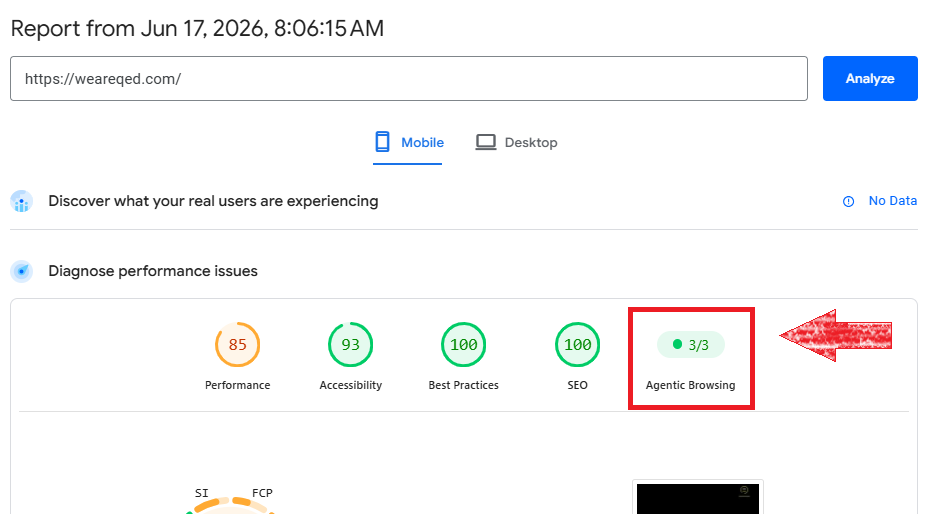
Here is what made this real for me. When I ran our own site, weareqed.com, through PageSpeed Insights, the Agentic Browsing category came back at 3/3. A clean pass, with no special “AI optimisation” work, no llms.txt scramble, nothing bought from anyone. Just years of building accessible, stable pages.
The prospect’s site I was researching told a different story.
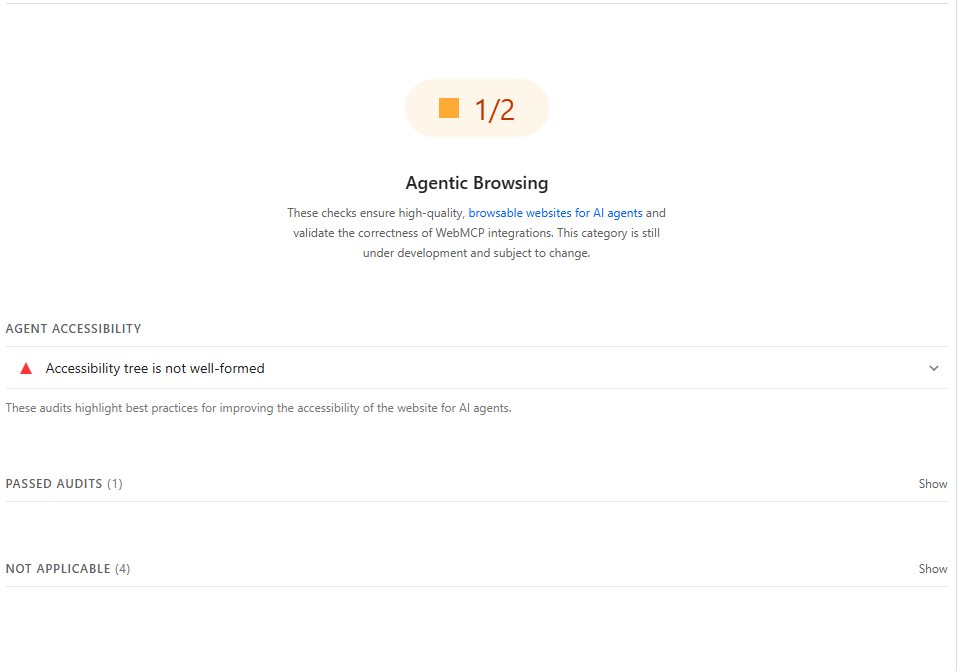
It scored 1/2, with the audit flagging that the accessibility tree was “not well-formed”. In plain English, the page structure was confusing enough that an AI agent, or a screen reader, would struggle to work out what was a button, what was a heading and what was just decoration.
This is the pattern you will see again and again. Agentic Browsing is less a brand new discipline and more a fresh light shone on old, unglamorous fundamentals.
Is this a Google ranking factor? No.
This is the question that matters most for anyone running a business, so let me be blunt about it.
Google has not said Agentic Browsing is a search ranking factor. It is not part of the algorithm that decides where you appear in search results. The category is described by Google as a way to “gather data and provide actionable signals”, not a ranking lever. It is a readiness check, not a scorecard that moves you up or down the results page.
The honest read is that this is an early warning flare. It hints that the web is drifting towards a world where AI agents act on sites, not just humans. That is worth being aware of. It is not worth panicking over, and it is certainly not worth being scared into an expensive package this week.
llms.txt, agents.json and WebMCP: three claims, one fact
You will hear three new proposals bundled together as “the agentic web stack”. They get mentioned in the same breath, so it is worth pulling them apart, because they are actually doing very different jobs.
- llms.txt is about reading. It is a static text file at the root of your domain that hands an AI a tidied summary of what your site says, so it can read you more cleanly. Nobody acts on anything. It just describes.
- agents.json is about acting through an API. It sits alongside a technical description of your API and tells an agent how to chain your existing calls together into tasks. This one only matters to sites that already expose an API, and the action happens server to server, away from the browser.
- WebMCP is about acting inside the browser. It exposes actions on your actual page, by annotating forms or registering tools in JavaScript, so an agent driving the visitor’s own browser can submit, search or add to basket on their behalf.
So you have read (llms.txt), act via API (agents.json) and act in the browser (WebMCP). Three different layers, often lumped into one scary “you must do all this now” pitch.
Here is the connective tissue, and it is the part worth remembering. Three things are true of all of them at the same time.
- First, adoption is unconfirmed across the board. Anthropic, OpenAI and Google have not confirmed their agents actually consume any of the three out in the wild. This is not a knock on one weak idea. It is the state of the whole category right now.
- Second, each one is a self-declaration the consumer is free to ignore. llms.txt claims what your content is. agents.json claims what your API does. WebMCP claims what actions exist. In every case the agent can just look at the real site to check, which is exactly the point Google’s John Mueller made about llms.txt: if you can verify it by checking the site directly, why trust the separate file at all.
- Third, and this is the one that actually helps you, the thing that works underneath all of it is the boring, verifiable layer. A sound accessibility tree, semantic HTML, real labels, a stable layout. An agent that cannot trust your llms.txt can still trust a well-formed accessibility tree, because that is not a claim, it is the page itself. That is precisely why Lighthouse weights the agentic score towards accessibility and layout stability, the things it can measure for certain, and treats llms.txt and WebMCP as informational. Google is quietly telling you which layer is real.
Put simply, the three proposals are claims an agent can ignore, while the page itself is something it cannot. That is the whole argument: the proposals are claims, the fundamentals are facts, and only one of those is worth your time today.