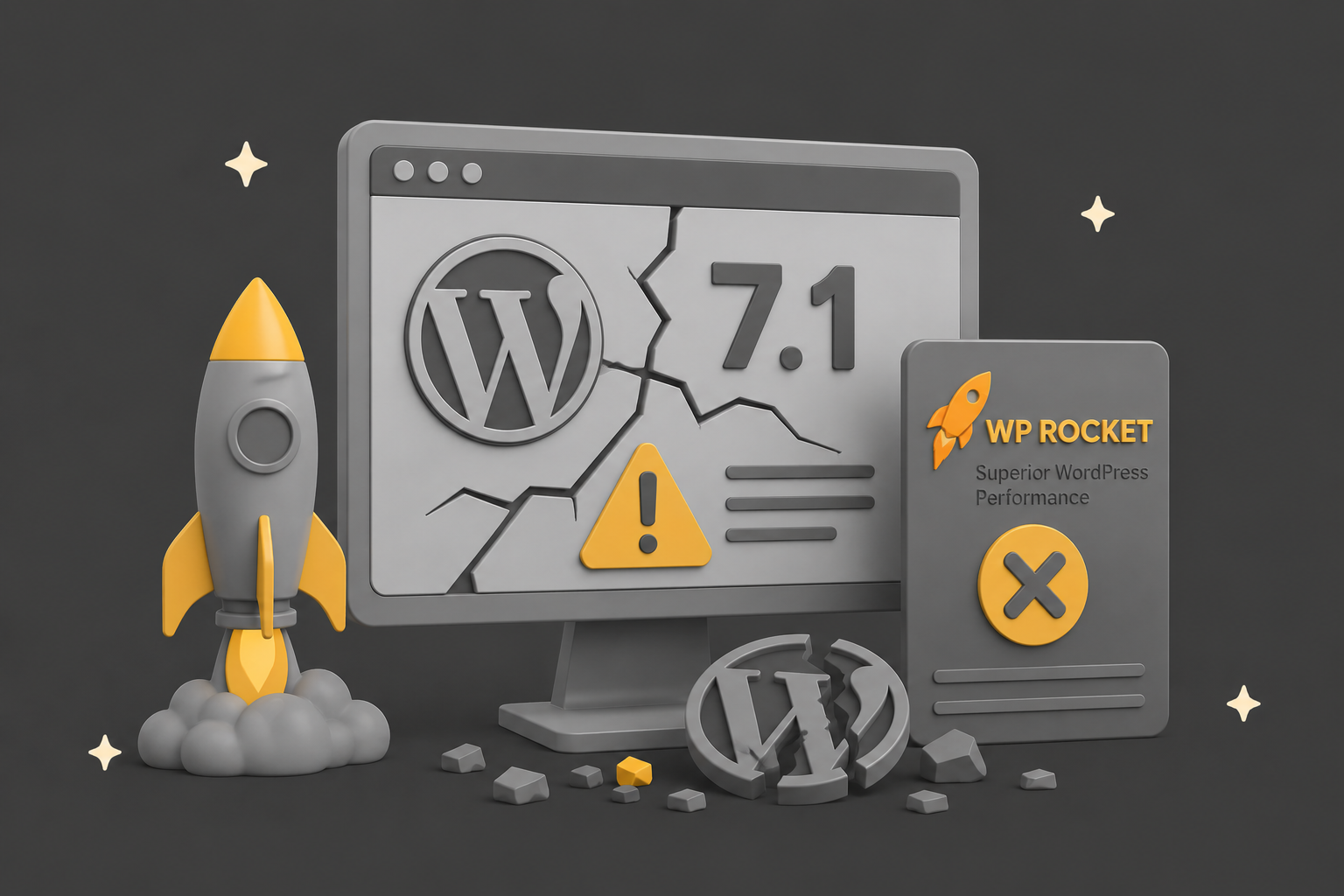
TL;DR: WordPress 7.1 critical error happen last night when we updated the QED website. 7.1 landed on 19 August 2026 and instantly took a chunk of sites offline with a critical error.
The culprit is not core, and it is not Elementor. It is WP Rocket. A bug in its Cloudflare integration throws a fatal error on sites running 7.1, and updating WP Rocket does not fix it because the current version is still affected.
This post walks you through getting back online fast, then explains what actually went wrong so you can make an informed call on rollback or patch.
The WordPress 7.1 core update & critical error
WordPress 7.1 was released to the public on 19 August 2026, timed to the final day of WordCamp US in Phoenix. It is the second major release of the year, following 7.0 back in May. Plenty of sites take the update automatically overnight, and here in Europe that push arrived on the night of the 19th into the 20th.
For us, the update went through and WeAreQED.com promptly threw a critical error and went offline. If that has happened to you too, you are not alone, and you have not broken anything. This is a known conflict, it has a clear cause, and it has a clear recovery path. Let us get you back online first, then explain the why.
How to tell if this is your problem
WordPress emails your site admin address a “Your site is experiencing a technical issue” message when it hits a fatal error, and that email names the offending file. If yours points at WP Rocket’s Cloudflare file, this is the bug. The exact error reads along these lines:
An error of type E_ERROR was caused in line 562 of the file
/wp-content/plugins/wp-rocket/inc/ThirdParty/Plugins/CDN/Cloudflare.php. Uncaught TypeError: substr(): Argument #1 ($string) must be of type string, int given.
Three things need to be true at once for your site to hit it:
- You are running WordPress 7.1.
- WP Rocket is active, with its Cloudflare add-on in play.
- Another active plugin or theme registers a callback on
deleted_postortransition_post_statusin a way that trips the bug. Elementor Pro is one very common example, but it is doing nothing wrong.
The nasty part: because the error fires while WordPress is still starting up, it takes down the front end and wp-admin at the same time. Your usual escape route, deactivating the plugin from the dashboard, is bolted shut because the dashboard is throwing the same error. That is why this one feels worse than the average plugin conflict.
Get your site back online: step by step
First, breathe. Do not start reinstalling WordPress and do not start deleting things at random. A critical error straight after a core update is almost always a plugin that is not yet ready for the new version, and that is exactly what this is. The fix is to stop WP Rocket loading, and there are a few routes in depending on how locked out you are.
1. Check your inbox for the recovery link
That admin email often contains a special recovery mode link. It logs you into a stripped-back dashboard where the faulty plugin is already flagged and paused, which is the fastest way in if it is there. Worth a try before you touch anything technical.
2. If you can reach wp-admin, deactivate WP Rocket
Sometimes WordPress drops you into recovery mode on its own. If you can get into the plugins screen, deactivate WP Rocket and the site should return immediately. In this particular bug the dashboard is usually down too, so if that is your case, skip to the file manager route below.
3. If you are locked out, deactivate WP Rocket via SFTP or file manager
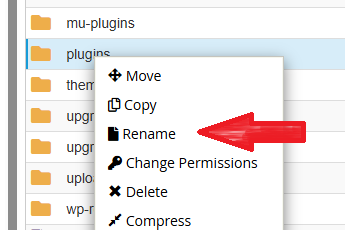
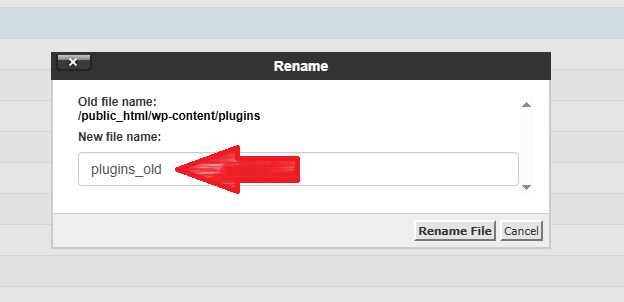
If you’re fully locked out, get in via your host’s file manager or SFTP, we’re using cPanel:
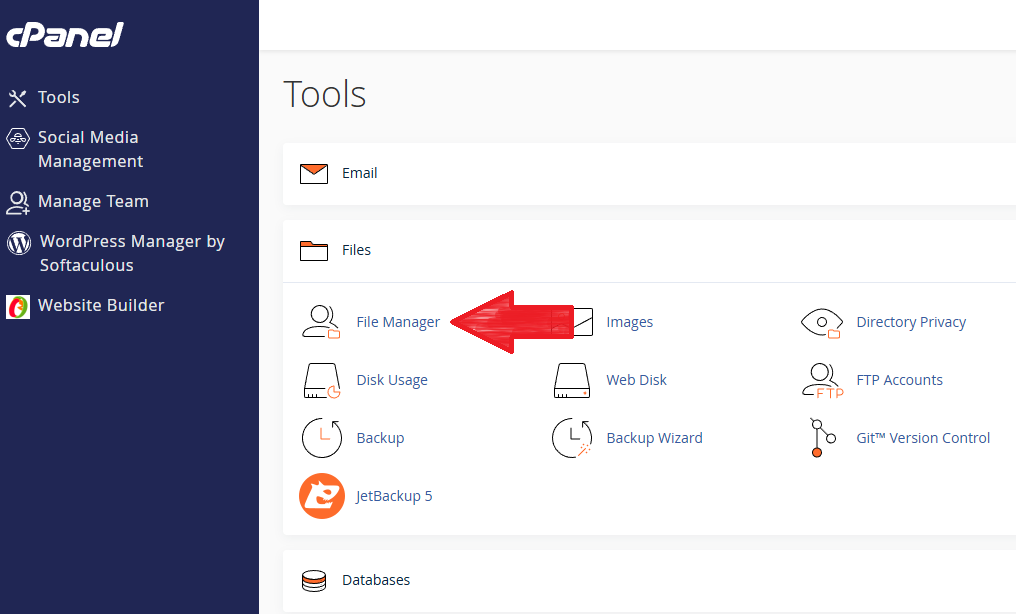
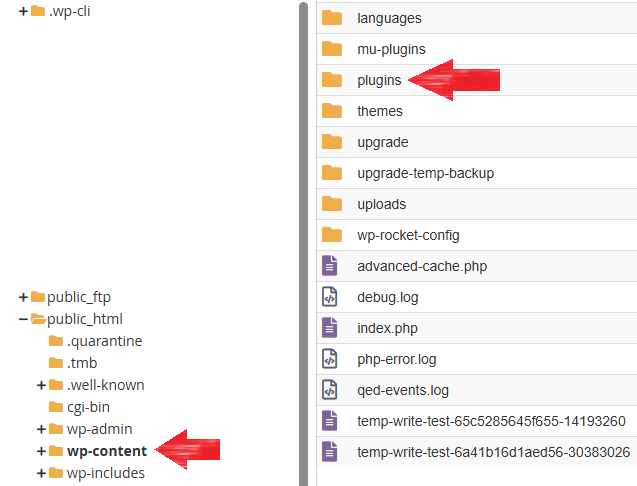
Rename /wp-content/plugins/ to plugins_old,. This deactivates everything at once. If the site returns, rename it back and reactivate plugins one by one, leaving WP Rocket deactivated.
4. Turn on debug logging if you want to confirm the cause
If you want to see the error in black and white before acting, set WP_DEBUG and WP_DEBUG_LOG to true in wp-config.php, reload, then read /wp-content/debug.log. The final line of the trace names the exact file and function, which is how we confirmed this was WP Rocket and not something else. Note that turning on debug display will not necessarily show anything useful on screen, because the crash happens so early. The log is the reliable place to look.
5. Once you are back up, leave WP Rocket off for now
With the folder renamed, your site runs without caching until there is a fixed release. Performance will dip a little, but a slightly slower live site beats a dead one. We cover whether to roll back core instead in the next section.
What actually broke: the WP Rocket Cloudflare bug
Here is the part worth understanding, because it changes what you should do next. This is a bug in WP Rocket, not in WordPress core, and not something your host broke.
Inside WP Rocket’s Cloudflare integration, a function reads a key from WordPress’s internal list of hooked callbacks and passes it to PHP’s substr(). PHP quietly turns purely numeric array keys into integers, so that key can arrive as a number rather than text. The file declares strict typing, so PHP refuses to fudge the conversion and throws a fatal error instead of carrying on. That is the whole bug in a sentence: a value that is sometimes a number gets handed to a function that demands text.
The reason it only bites now is that WordPress 7.1 changed enough under the bonnet for that numeric key to actually appear on real sites, particularly where another plugin or theme hooks the right events. Elementor Pro is a frequent trigger simply because hooking callbacks is completely normal WordPress code and Elementor Pro plus WP Rocket is an extremely common pairing.
To be crystal clear, Elementor Pro is not the fault here. It is standard behaviour that happens to expose someone else’s bug.
This is the trap: As per good practice, we keep our plugins upto date, so when we discovered that WP Rocket had been informed in July of the issue (thanks to Aaron Jorbin on BlueSky for this ), and this week had released an update. The natural thinking would be that this update would address the conflict with version 3.23.2.1 – apparently not.
Roll back, patch, or wait?
You have three realistic options once the fire is out. Here is how they stack up.