TL;DR: Web design affects SEO directly and how Google crawls, understands, and ranks your site. Speed, structure, mobile usability, accessibility, and visual hierarchy all feed into ranking signals that no amount of content or backlinks can override.
This guide explains exactly how each design decision influences SEO, with real UK examples and practical fixes you can apply in WordPress.
Key Takeaways
- Every ranking signal Google uses, from Core Web Vitals to crawlability to mobile usability, is shaped by design decisions made before a single word of content is written.
- When we rebuilt The SV Group’s website, design fixes alone took page weight from 3.1 MB to under 1 MB, and impressions rose 19% over the following eight weeks with no content changes.
- Correcting heading hierarchy on the Morgan-Huntley Associates – Hospitality consultant’s website improved rankings by an average of six positions without changing a word of copy.
- Google uses mobile-first indexing, meaning the mobile version of your site determines your rankings, not the desktop version.
- Accessible design and SEO-friendly design overlap so heavily that optimising for one almost always improves the other.
If you run a small business website in the UK, you have probably heard that content is king. Write great content, earn a few links, and the rankings will follow. There is truth in that, but it is only part of the story. The way your website is designed shapes every stage of how Google discovers, evaluates and ranks your pages, and if you serve a local area, what shows up when nearby customers search matters just as much.
At QED, we build WordPress sites for small businesses across the UK, and we see the same pattern repeatedly. A business invests in good content but wraps it in a slow, poorly structured, inaccessible design. The content underperforms.
Fix the design, and the same content starts ranking. That is not theory. We have measured it across multiple client projects, and the data is consistent. It is also worth saying that good design does not have to mean a bloated budget, and our guide to website design costs in the UK breaks down what you should realistically expect to pay.
How web design affects SEO is not a fringe topic. It is the foundation that everything else sits on. Get the design wrong and your content, your links, and your brand authority all work harder for less return. If you are looking for a web design partner who understands small business constraints, this is what we think you should know first.

What Google Actually Measures (And Why Design Matters)
Google does not look at your website the way a visitor does. It does not admire your colour palette or appreciate your font choices. What Google measures is how efficiently it can crawl your pages, how quickly they load, how well they work on mobile, and whether users engage with them or bounce straight back to the search results.
Every one of those signals is shaped by design decisions. The template you choose, the page builder you use, the way you structure your navigation, the size of your images, the fonts you load, and the scripts you include all feed directly into the metrics Google uses to rank pages.
Google’s ranking systems evaluate content within its technical and visual container. A well-written page inside a poorly designed site will still underperform because the design creates friction at every stage of crawling, rendering, and user interaction. The search engine sees the whole package, not just the words.
This is why agencies that focus exclusively on content or exclusively on link building often hit a ceiling. If the underlying design is working against you, improvements in other areas deliver diminishing returns.
Speed and Core Web Vitals: The Numbers That Matter
Google uses Core Web Vitals to measure real-world page performance. These are not synthetic lab scores. They are calculated from actual Chrome user data, which means they reflect what your real visitors experience.
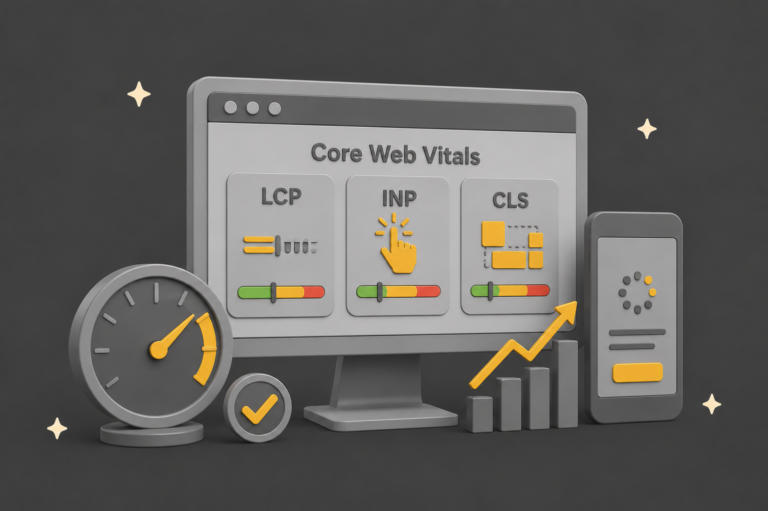
The three metrics that matter most are Largest Contentful Paint (LCP), which measures how quickly the main content loads and should be under 2.5 seconds; Cumulative Layout Shift (CLS), which measures visual stability and should be under 0.1; and Interaction to Next Paint (INP), which measures responsiveness to user input and should be under 200 milliseconds.
On QED client sites, we consistently see ranking improvements once LCP drops below 2.5 seconds. One client site was loading at 4.8 seconds with a page weight of 3.1 MB. The design used a full-width background video on the homepage, four custom fonts loaded from Google Fonts, uncompressed PNG images, and 11 JavaScript files from various plugins. We stripped the background video, consolidated to two fonts loaded locally, converted all images to WebP, and removed six unused plugins. The page weight dropped to under 1 MB and LCP came down to 1.9 seconds. Impressions increased by 19% over the following eight weeks, with no content changes at all.

Slow sites are rarely a hosting issue, although hosting does matter. They are almost always the result of design decisions: oversized hero images, decorative web fonts, autoplay video, CSS and JavaScript from plugins that load on every page whether they are needed or not, and render-blocking resources that delay the initial paint.
In WordPress specifically, the biggest speed offenders are heavy page builder output (some Elementor widgets generate deeply nested HTML that adds kilobytes of DOM weight), theme frameworks that load their entire CSS library regardless of what is used on each page, and plugin sprawl where each plugin adds its own scripts and stylesheets globally.
If you want a practical framework for reducing page weight without stripping out your brand identity, our guide to page weight and sustainable design trade-offs covers the approach we use on every QED build.
Site Structure, Headings, and Crawlability
Heading hierarchy
Search engines read structure, not aesthetics. Your heading tags (H1 through H6) are the primary way Google understands the hierarchy and relationships within your content. When headings are used correctly, they create a logical outline that tells the search engine what each section is about and how sections relate to each other.
Google’s John Mueller has confirmed this directly, stating that heading tags in HTML help Google understand the structure of the page. That is not a suggestion. It is a description of how the algorithm works.
We frequently audit sites where H2 and H3 tags have been used purely for visual styling. The designer wanted a particular font size or weight, so they used a heading tag to get it. The result is a heading structure that makes no semantic sense, and Google struggles to parse the content hierarchy.
On a series of UK recruitment sites, we corrected heading hierarchy alone, changing nothing about the actual copy, and saw an average improvement of six ranking positions across target keywords. That is a meaningful result from a purely structural change that took less than an hour per page.

URL structure and information architecture
Your URL structure is a design decision that happens before a single word of content is written. Clean, descriptive URLs organised into logical subdirectories help both users and search engines understand where a page sits within your site.
A URL like example.com/services/web-design tells Google this page is a service page about web design, nested within a services category. A URL like example.com/?p=4827 tells Google nothing. WordPress defaults to the second pattern unless you change it, which means every WordPress site that has not configured its permalink structure is starting with a handicap.
Beyond individual URLs, the overall information architecture of your site determines how efficiently Google can discover and crawl all of your pages. A flat architecture where every page is reachable within two to three clicks from the homepage is significantly more crawl-efficient than a deep, narrow structure where important pages are buried five or six levels down.
Common structural mistakes in WordPress
In our audits, the most common structural issues on WordPress sites are multiple H1 tags on a single page (often caused by the theme outputting an H1 for the site title and another for the page title), navigation menus with 30 or more items creating excessive internal links on every page, important content hidden behind tabs or accordions that Google may not render on initial crawl, and inconsistent internal linking patterns where some pages receive dozens of internal links while others receive none.
Each of these is a design problem with direct SEO consequences. For a real-world example of how structure and internal linking compound authority over time, see our recruitment SEO content case study.
Mobile Design Is Not Optional
Google uses mobile-first indexing, which means the mobile version of your site is what Google primarily crawls and ranks. If your desktop site has content, links, or structured data that your mobile version does not, Google may not see them at all.
For UK small business sites, the most common mobile design problems are menus that hide important internal links behind a hamburger icon (reducing their crawl priority), tap targets that are too small or too close together (Google flags anything under 48 pixels as a mobile usability issue), cookie consent banners that cover the primary content area on mobile, and content that relies on hover states which do not exist on touchscreens.
In WordPress with Elementor, watch out for desktop-only sections that are set to hidden on mobile. If those sections contain content you want Google to index, hiding them on mobile means Google’s mobile-first crawler may not see them. Use responsive design to reflow the content rather than hiding it entirely.
The practical test is straightforward. Open your site on your phone, navigate to every important page, and check whether all the content, links, and calls to action are visible and functional. If anything is missing compared to the desktop version, fix it before worrying about anything else.
Accessibility and SEO: The Same Job Twice
Accessible design and SEO-friendly design overlap so heavily that optimising for one almost always improves the other. Both rely on semantic HTML, clear labelling, predictable navigation, sufficient colour contrast, and logical content structure.
When you use semantic HTML elements like <nav>, <main>, <article>, and <aside> instead of generic <div> elements, you give both screen readers and search engine crawlers explicit signals about the purpose of each content block. In controlled comparisons, semantic templates have indexed faster and produced richer search snippets than visually identical layouts built entirely with generic divs.
Image alt text is the clearest example of the overlap. Descriptive alt text helps screen reader users understand what an image shows. It also helps Google understand the image content for both regular search and image search. Writing useful alt text is a design specification, not an afterthought, and it should be part of your content template.
Accessibility is not a compliance box-ticking exercise. It directly improves crawl efficiency, trust signals, and content discoverability. If your site is not accessible, it is not fully optimised for search either.
Visual Hierarchy, Engagement, and Behavioural Signals
User behaviour correlates strongly with search rankings. Google observes whether users click through to your page and stay, or whether they click and immediately return to the search results. If visitors consistently bounce back, that sends a signal that your page did not satisfy the query, regardless of how well the content is written.
Design influences these behavioural signals more than word count. Clear typography with readable font sizes (16 pixels minimum for body text), short paragraphs, generous white space, and a predictable visual flow all increase the time users spend engaging with your content. Conversely, walls of text, cluttered layouts, intrusive pop-ups, and autoplay media drive users away.
Visual hierarchy is the design principle that guides the reader’s eye through the page in a deliberate order. Headings, subheadings, bold text, images, and whitespace work together to create a scannable structure that lets readers quickly find what they need. When visual hierarchy is strong, users engage more deeply with the content, read further down the page, and click through to related pages.
One UK consultancy we worked with doubled their average time on page from 48 seconds to 1 minute 52 seconds through layout changes alone: larger body text, shorter paragraphs, more subheadings, and relevant images breaking up the content. Ranking improvements followed within one Google update cycle, with no changes to the actual copy.
Internal Linking Is a Design Decision
Internal links are how authority flows through your website. Every link from one page to another passes a portion of that page’s authority to the destination. Designers and template builders decide which links appear in headers, footers, sidebars, and content areas, and those decisions directly control how search engines understand the relative importance of your pages.
Breadcrumbs are a clear example. Google has confirmed that breadcrumb navigation is used as a ranking signal, and breadcrumbs frequently appear in search results as the displayed URL path. Implementing breadcrumbs is a design and template decision, and it is one of the simplest structural improvements you can make.
The most common internal linking mistakes we see are navigation menus that link to everything (diluting authority across too many pages), footers stuffed with links for SEO purposes (which Google has learned to devalue), important pages with no internal links pointing to them at all, and links hidden for aesthetic reasons using CSS or JavaScript.
At QED, we design templates that surface contextual links within the content body, supporting topical depth and helping both human readers and AI systems understand the relationships between pages. Our SEO content case study shows how deliberate internal linking contributed to sustained ranking improvements over a six-month period.
Image Optimisation: Where Most Sites Leak Performance
Images are typically the heaviest elements on any web page, and how they are handled is a design decision with direct SEO consequences. Unoptimised images slow page loading, increase page weight, hurt Core Web Vitals scores, and waste bandwidth.
For WordPress sites, the essential image optimisation steps are using WebP or AVIF format instead of PNG or JPEG for photographic images (WebP typically delivers 25 to 35% smaller file sizes at equivalent quality), setting explicit width and height attributes on every image to prevent layout shift (improving CLS scores), implementing lazy loading for images below the fold so they only load when the user scrolls to them, and writing descriptive, keyword-relevant alt text for every image.
In Elementor, be aware that the default image widget does not always output width and height attributes, which can cause CLS issues. Check your rendered HTML and add dimensions manually if needed. Also watch for Elementor’s background image feature, which loads images via CSS rather than HTML, making them invisible to search engine image crawlers and inaccessible to screen readers.
A good rule of thumb is that no single image on your page should exceed 100 KB after compression, and your total page image weight should stay under 500 KB for most pages. Tools like Imagify, ShortPixel, or Squoosh can handle the compression, but the design decision about which images to include and at what dimensions comes first.
Schema Markup and Structured Data
Schema markup is code you add to your pages that helps search engines understand the content more precisely. It can result in rich snippets in search results, including star ratings, FAQ dropdowns, breadcrumb paths, and author information. These enhanced listings tend to attract higher click-through rates, which feeds back into ranking performance.
The most useful schema types for small business sites are Article schema for blog posts (including author, date published, and date modified), LocalBusiness schema for your contact and about pages, FAQ schema for pages with frequently asked questions, BreadcrumbList schema to reinforce your site structure, and HowTo schema for step-by-step guides.
In WordPress, plugins like AIOSEO or Rank Math can generate most of this automatically, but the schema output is only as good as the underlying page structure. If your design does not include clear headings, structured content blocks, and proper HTML semantics, the schema plugin has less to work with and produces less useful markup.
Schema is not a magic ranking boost on its own. It is a way to help search engines interpret your content more accurately, which improves the chances of your pages appearing with enhanced features in the search results. The design foundation has to be solid first.
How Design Affects AI Search Visibility
With AI-powered search growing through Google’s AI Overviews, ChatGPT, and Perplexity, site design now influences whether your content gets cited in AI-generated answers. AI systems extract information most reliably from pages with clear, well-structured content that follows logical heading hierarchies and uses semantic HTML.
Pages where content is fragmented across tabs, hidden behind interactive elements, loaded dynamically via JavaScript, or buried in complex nested layouts are harder for AI systems to parse and less likely to be cited. Clean, accessible, well-structured pages with clear entity definitions and direct answers to specific questions perform best in AI search contexts.
For more on how search intent connects to content structure, and why matching intent matters more than ever, see our guide on what search intent is and how to use it.
This is another area where good design and good SEO are the same thing. The structural clarity that helps Google rank your pages is the same structural clarity that helps AI systems cite them.
What to Fix First: A Practical Priority Order
If you are redesigning a site or auditing an existing one for SEO, prioritise design decisions in this order. Start with the issues that have the largest measurable impact and work down.

First, fix speed and performance. Run your site through PageSpeed Insights and address any red or amber Core Web Vitals. Compress images, remove unused plugins, and minimise render-blocking resources. This is the single fastest way to improve rankings through design changes.
Second, audit your heading hierarchy and site structure. Make sure every page has one H1, that heading levels are used logically, and that your URL structure is clean and descriptive.
Third, test mobile usability. Open every important page on a phone and verify that all content, links, and functionality work properly. Fix any hidden content, undersized tap targets, or broken layouts.
Fourth, review accessibility. Check colour contrast, add alt text to every image, use semantic HTML, and ensure the site is navigable by keyboard.
Fifth, strengthen internal linking. Add breadcrumbs if you do not have them, review your navigation structure, and make sure every important page receives contextual internal links from related content.
Sixth, implement schema markup. Start with Article and LocalBusiness schema, then add FAQ and BreadcrumbList where relevant.
Finally, review visual styling. Typography, whitespace, and visual hierarchy matter, but they matter most once the structural and technical foundations are solid.
How web design affects SEO is not a one-time consideration. It compounds over time. Small structural improvements accumulate into significant ranking gains, and the fastest SEO wins often come from fixing what users already struggle with.
If your rankings have plateaued, start with your templates, not your keywords. Or get in touch with QED and we will show you where your design is holding your SEO back.