TL;DR: You can build a WordPress website that ranks without spending a penny on backlinks. I know, because I built one with zero links, no social profiles and no analytics, and it reached page one.
This guide is the build, step by step, with each decision backed by what that experiment actually showed rather than the usual recycled advice.
Get the foundations right, content, structure, internal linking and technical SEO, and Google will rank you. Those are within your control, even for a Wix or Squarespace site. Backlinks mostly are not.
Search “how to build a WordPress website that ranks” and you will get a thousand near-identical guides telling you to buy hosting, install a theme, add Yoast and build backlinks. Most are written by people who have never tested whether their own advice works.
This one is different, because I ran the experiment. I built a WordPress site with zero backlinks to find out what actually drives rankings, and it reached page one for multiple competitive terms. So instead of repeating the standard checklist, this guide walks through the build with each step tied to what genuinely moved the needle, and what turned out to be noise.
Why “tested” beats “ultimate guide”
A WordPress site ranks when its foundations are strong: useful content, a structure search engines can read, sensible internal linking and clean technical SEO. Backlinks help in competitive niches, but they are not the starting point, and for most small businesses they are not where the money should go first.
I know that because I tested it. After months of hearing an SEO podcast insist that authority only comes from backlinks, I built an experimental recipe website from scratch to see if it was true. Clean domain, no social media profiles, no backlinks, no links from the QED site, and crucially no Google Search Console or Google Analytics connected. Google would have to find the site on its own by crawling the sitemap, with no help from me.
That experiment shapes every step below. Where a step is backed by what I actually saw, I will say so. Where it is general best practice, I will say that too. No hand-waving.
Step 1: Foundations (hosting, domain, install)
Your foundation is hosting, a domain and a clean WordPress install. Get these right and everything above them is easier. Get them wrong and you will be fighting the site for years.
On hosting, the honest advice is to avoid the cheapest shared plans, because slow server response time hurts both user experience and rankings, and to choose a host running on efficient, ideally renewable, infrastructure. On the domain, pick something readable and brandable; exact-match keyword domains carry far less weight than they did a decade ago. For the install itself, set your permalinks to the post-name structure straight away, because changing URLs later breaks links Google has already indexed.
Step 2: A lightweight theme, not a bloated one
The best theme for ranking is a fast, well-coded one that does not load features you will never use. A heavy theme drags down Core Web Vitals on every single page, and those are a ranking signal.
The temptation is to pick the theme with the most features and the flashiest demo. Resist it. Every slider, animation library and bundled plugin that comes with a bloated theme is weight your visitor’s browser has to download, whether the page uses it or not. A lean theme paired with a page builder you actually control will almost always outperform a maximalist one.
Step 3: Structure Google can read
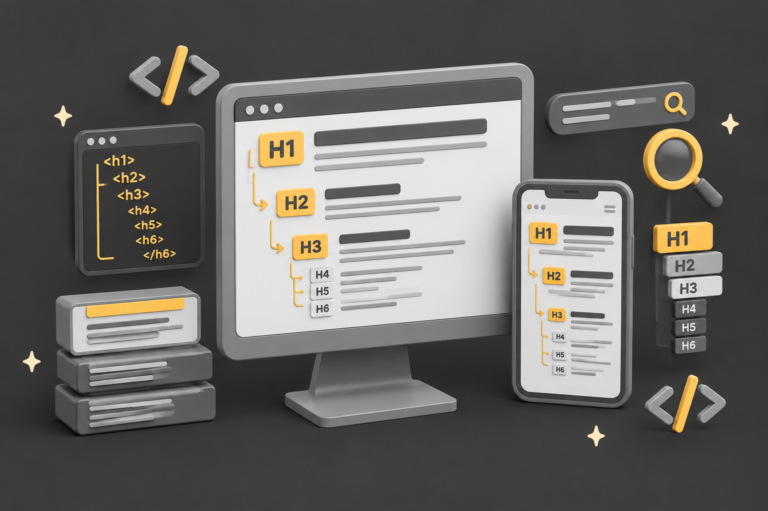
A rankable site has a logical structure: clear heading hierarchy, descriptive titles and meta descriptions, and alt text on images. This is how Google works out what each page is about, and it is unglamorous, which is exactly why so many sites skip it.
On my recipe experiment, the structural basics were deliberately done properly: relevant meta titles and descriptions, correct heading structures, alt tags on every image and modern WebP image formats. None of it is difficult. All of it tells Google clearly what the page covers, and that clarity is part of why a brand-new site with no external signals could still rank.
A practical order to work in: one H1 per page that states the topic, H2s for each main section, descriptive meta titles under about 60 characters, meta descriptions that read like a human wrote them, and alt text that describes the image plainly. Do this as you build, not as a retrofit, because retrofitting structure across dozens of pages is miserable work.
Step 4: Content that answers real questions
Content is the single most important ranking factor, full stop. Google’s own Gary Illyes has said the top ranking factor is content, and that links are not even in the top three. The catch is that it has to be content that genuinely answers what your potential customers are asking, not filler written to hit a word count.
This is where my hospitality background actually helped. Twenty-seven years in and around Michelin-starred kitchens meant I could write recipe content that was genuinely useful: no 800-word preambles about a grandmother, no padding to satisfy an SEO plugin’s word-count meter. Just the recipe, properly structured. That usefulness is what search engines reward, and it is why the site ranked without a single link vouching for it.
The lesson for a small business is direct: a handful of genuinely helpful pages about what you do, where you do it and the problems you solve will outperform a bloated site stuffed with thin keyword pages.
Step 5: Internal linking, the underrated lever
If there is one secret in this guide, it is internal linking. It is the factor most small business sites neglect, and on my experiment it was the deliberate “secret sauce” that I am convinced did much of the heavy lifting.
Internal links are simply links from one page on your site to another. They matter because they show Google how your content connects thematically, and they help it understand context, hierarchy and the relationships between your pages. On the recipe site, linking related recipes to each other built a web of topical relevance that signalled depth on the subject, and a well-structured internal linking strategy can replicate much of the “authority” effect that backlinks are supposed to provide, because it demonstrates that you cover a topic properly.
The practical version: whenever you publish a page, link it to two or three genuinely related pages already on your site, and update older pages to point back to the new one. Use descriptive link text that says what the linked page is about. Done consistently, this is free, entirely within your control, and one of the highest-return jobs in SEO.
Step 6: Technical SEO that gets you indexed
Technical SEO is the set of fundamentals that decide whether Google can crawl, index and confidently rank your pages: speed, mobile usability, clean URLs, image optimisation and a working sitemap. Get these wrong and even great content struggles, because Google never sees it properly.
The non-negotiables are page speed (compress images, serve WebP, avoid heavy scripts), mobile-friendliness (Google indexes the mobile version of your site first), clean keyword-aware URLs, and an XML sitemap submitted so Google can discover your pages. That sitemap point is not theoretical: on my experiment, the sitemap was the *only* way Google found the site, since there were no links pointing to it from anywhere. It still got crawled, indexed and ranked. That is how much the technical foundation matters.
The build roadmap at a glance
Here is the whole build as a single sequence, in the order I would tackle it, with the realistic effort and the payoff for each stage.
Notice what is not on that list: buying backlinks. They are deliberately absent, because for a site like this they are not what gets you ranked. They come later, and usually they come naturally.
Here’s the QED roadmap on how we build websites
Foundations
Decent host, readable domain, clean install, post-name permalinks set from day one.
Lightweight theme
Fast, well-coded theme. No feature bloat you will never use. Performance over demo looks.
Readable structure
One H1, logical H2s, meta titles and descriptions, alt text, WebP images. Build it in, don't retrofit.
Useful content
Pages that answer a real question better than the alternatives. No filler, no word-count padding.
Internal linking
Connect related pages with descriptive link text. Builds topical depth and spreads relevance.
Technical SEO
Speed, mobile-first, clean URLs, image optimisation, XML sitemap submitted so Google can find you.
Notice what is not on that list: buying backlinks. They are deliberately absent, because for a site like this they are not what gets you ranked. They come later, and usually they come naturally.
Should you DIY this or hire someone?
Honestly? If you have the time and patience, you can absolutely build a rankable WordPress site yourself by following the steps above. The experiment proves the principles work, and none of them require a big budget or a link-building campaign. Plenty of small business owners do exactly this and do it well.
The case for hiring someone is not that the steps are secret. It is time and judgement. Doing all six properly across a real business site takes longer than most owners expect, and the difference between a site that ranks and one that stalls is often the unglamorous detail: the internal linking strategy, the technical configuration, the structural discipline applied consistently across every page. That is the judgement fifteen-plus years of WordPress work tends to build, and it is the part that is hard to shortcut.
That is what we do at QED. We build fast, well-structured WordPress sites for UK small businesses, with the foundations from this guide baked in as standard, and we measure the results rather than just promising them. If you would rather spend your time running your business than learning all this, that is a fair trade. Get in touch for a straight conversation about your site, or look at our website design packages. And if you would rather do it yourself, genuinely, good luck, the steps above are the real ones.
Sources
- QED Web Design, Do You Need Backlinks to Rank? I Tested It (the zero-backlink recipe experiment in full).
- Gary Illyes at PubCon Pro Austin, September 2023, on links being important but not in the top three, reported by Search Engine Land.
- Gary Illyes at SERP Conf, April 2024, on Google needing “very few links”, and his subsequent walk-back, reported by Search Engine Roundtable.
- Context that links still carry weight (2024 API leak, PageRank still evaluated): Search Engine Land.
- Google Search Central: Understanding Core Web Vitals and Google search results.
- QED Web Design, Impact of web design on SEO.